

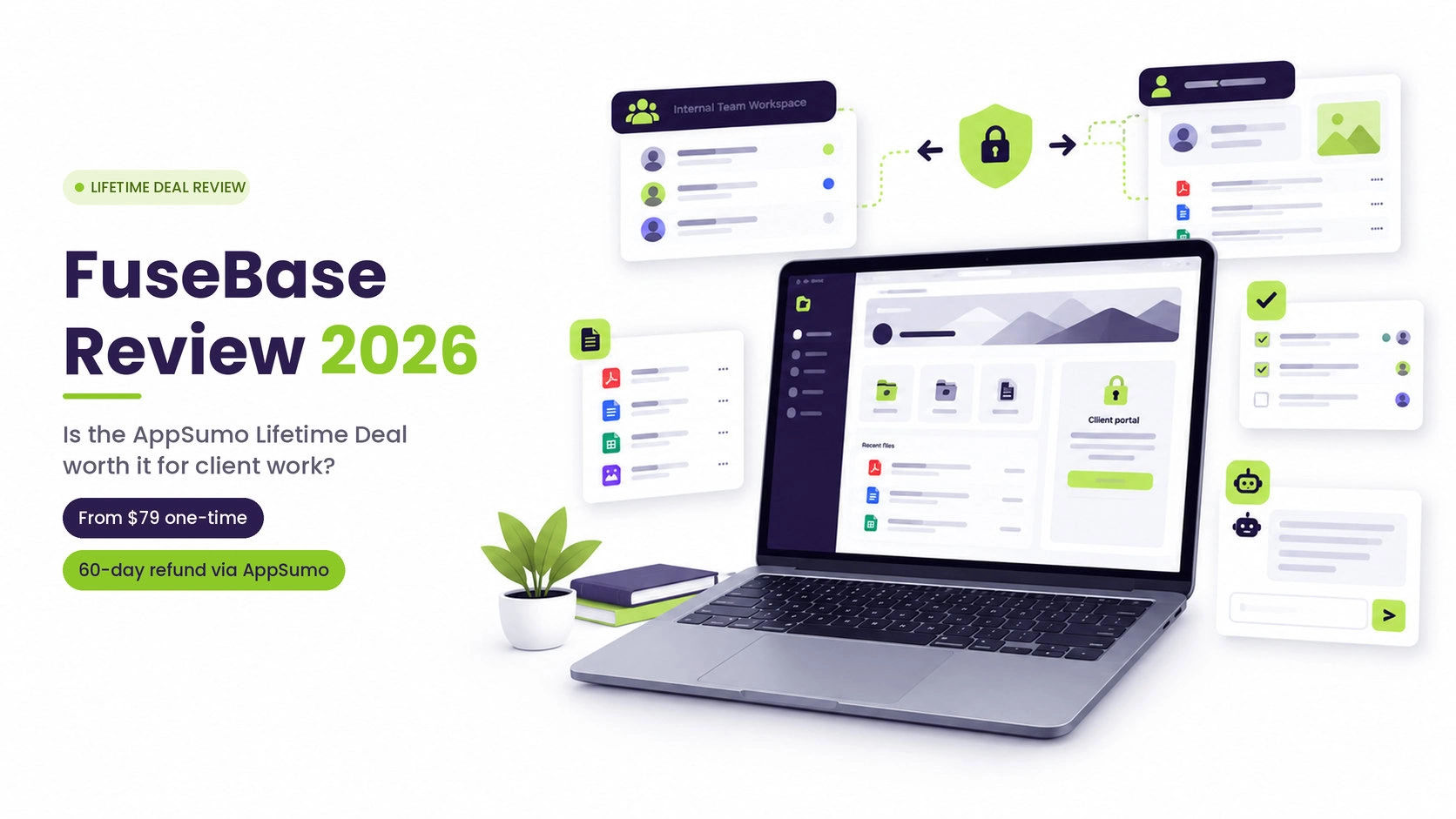
Short answer: FuseBase is worth considering if you run a service business and want one place for internal docs plus a branded portal your clients log in to.
The AppSumo deal starts at $79, and for the tiers I checked, the one-time price equals roughly 2.5 to 5 months of the matching official plan, so it pays back quickly if you would otherwise subscribe. That only holds if your clients will actually use the portal.
If they will never log in to anything, you would be paying for the part of FuseBase that matters most and not using it.
Disclosure: This article contains affiliate links. Making a purchase through these links won’t cost you anything extra, but it may allow me to receive a small commission. This review is based on FuseBase’s own pages, AppSumo’s deal page and published user reviews.
I have not tested FuseBase myself, so nothing here describes what it is like to use day to day. Where a point rests on the company’s own statements, I say so.
Quick verdict
| Best for | Agencies, consultants, coaches and small client-service teams that need a branded place to share work, files and updates with clients |
|---|---|
| Not ideal for | People who only want personal notes, or teams that need invoicing and billing built in today |
| Starting price on AppSumo | $79 one time (1 code), refundable within 60 days through AppSumo |
| Regular pricing for comparison | From $32/month on the Solo plan with annual billing, per FuseBase’s pricing page |
| Biggest strength | Separate internal workspace and client-facing portal in one tool |
| Biggest watch-out | AppSumo’s comparison table has rows for white labeling, SOC 2 and HIPAA, but I could not read which tiers include them. Confirm before you buy. |
What FuseBase actually is
AppSumo lists the company as founded in 2014, and its deal terms refer to FuseBase as formerly Nimbus Note, a note-taking app.
That history matters because you will still see “Nimbus” in older reviews, and many of those are about the note-taking product rather than the portal product.
Today FuseBase describes itself as an AI-native client portal and collaboration platform. The core idea is a split between two spaces:
- An internal workspace for your team: pages, tasks, files, a knowledge base.
- External portals for clients and partners: branded, login-protected pages designed to feel like a small website rather than a project management tool.
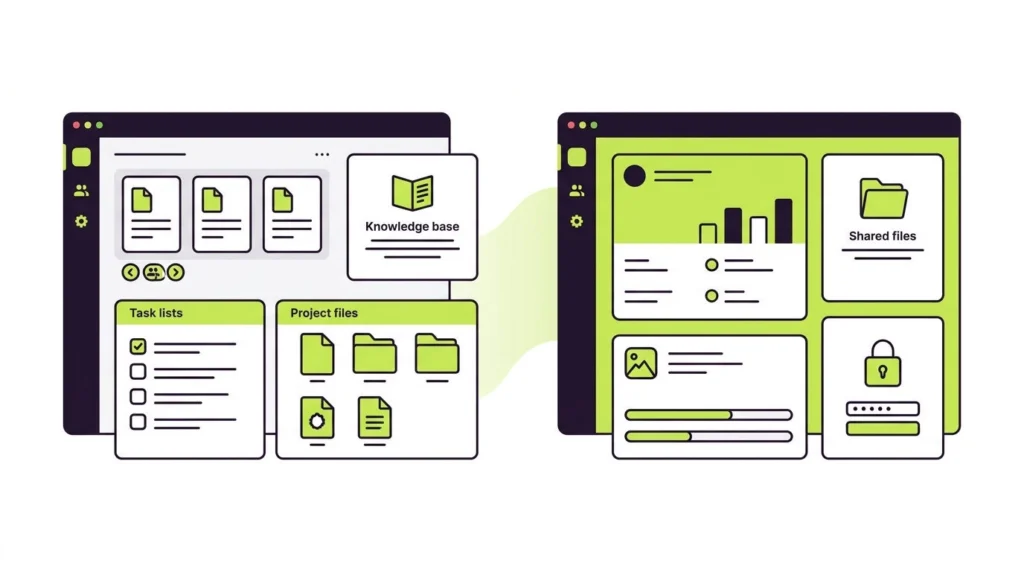
The firm maintains that customers shouldn’t be expected to master software designed specifically for your staff.
Whether that holds for your clients is something only a trial will tell you, but it is a reasonable design choice, and it is the main reason FuseBase appears next to portal tools like Moxo and Assembly instead of only next to Notion.
In addition to that foundation, AppSumo’s listing and the company’s official posts highlight a number of new features introduced in 2026. These are the company’s claims, not features I have tested:
- AI agents that can draft, summarize and answer questions from your content.
- Apps: custom tools you can build inside FuseBase and embed in workspaces or portals.
- MCP and API connections, so outside AI tools can work with your FuseBase content.
- Hosted tools: FuseBase says it will run Paperclip, n8n and Firecrawl for you. FuseBase’s pricing page lists managed hosting under the Advanced and Unlimited plans, and AppSumo’s table has a “FuseBase Work” row I could not read, so do not assume hosted tools come with a lower tier.
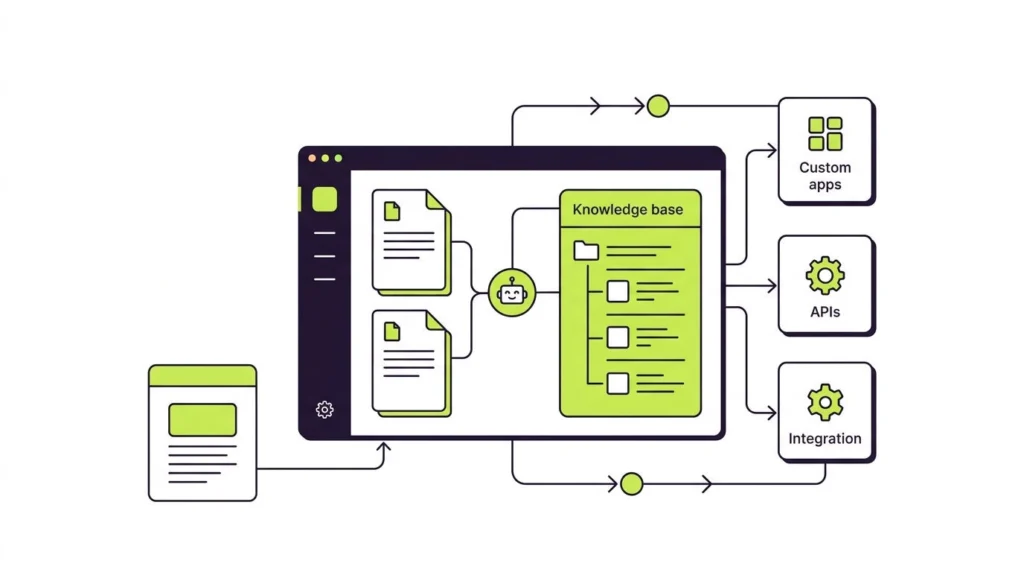
The founder has also said you can build apps using your own existing AI subscription instead of paying for separate AI tokens. Confirm how that works for your setup before you count on it.
What the AppSumo deal includes
AppSumo sells FuseBase as stackable codes. One code is $79, two codes are $158, and so on up to ten codes at $790. The deal page states lifetime access, a 60-day refund window, and that you must redeem your codes within 60 days of purchase.
Here is how the first four tiers compare. AppSumo’s plan table stops at four codes, so I could not check tiers 5 through 10 for limits. Additionally, the page lacked clear definitions for “frontend apps” and “full stack apps,” so it’s best to verify what specifically counts toward those limits.
| 1 code ($79) | 2 codes ($158) | 3 codes ($237) | 4 codes ($316) | |
|---|---|---|---|---|
| Users | 1 | 3 | 10 | 12 |
| Workspaces | 50 | 100 | 200 | 250 |
| Client portals | 1 | 5 | 15 | 20 |
| Client accounts | 5 | 25 | 75 | 100 |
| Frontend apps (features) | 5 | 10 | 15 | 20 |
| Full stack apps (active) | 1 | 2 | 3 | 4 |
| Storage | 50 GB | 100 GB | 400 GB | 450 GB |
| OCR records | 1,500 | 3,000 | 6,000 | 7,000 |
| AI agents | 5 | 8 | 20 | 25 |
| AI requests per month | 1,000 | 2,500 | 10,000 | 15,000 |
| AI automation credits per month | 1,000 | 5,000 | 15,000 | 20,000 |
| Transcription hours per month | 5 | 10 | 25 | 30 |
A handful of subtle details you might easily overlook:
- Codes map to named plans. The deal terms say codes 1 to 2 follow the Solo plan, codes 3 to 9 follow Essentials, and code 10 and above follows Advanced, with future updates to that plan. A June 2026 founder post describes tiers 1 to 9 as Essentials, so the wording is not consistent. Check the live terms before you choose a tier.
- Stacking continues past 10. Each code beyond 10 adds 3 members, 3 guests, 100 GB of storage, 1,500 OCR records and 2 more client portals.
- Previous AppSumo buyers of FuseBase (formerly Nimbus Note) are grandfathered into the new limits and can buy more codes.
- The crossed-out price is about one year of a subscription, not a lifetime’s worth. The $468 reference price for one code equals 12 times $39, which looks like a year of the Solo plan at its higher price. That is my own calculation, but it means the “83% off” headline compares against one year of paying. The honest comparison is the payback math below.
See the current tiers on AppSumo
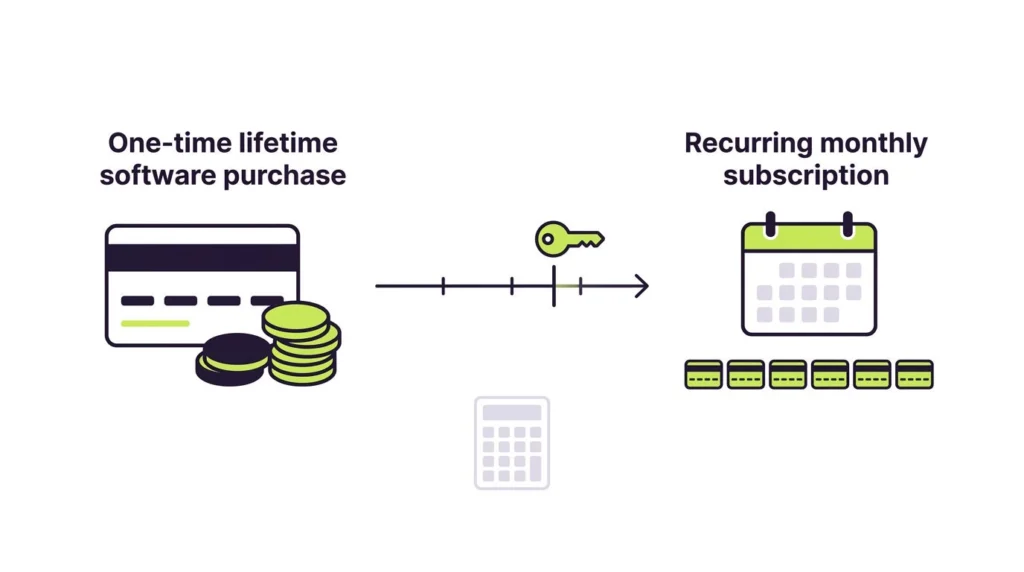
The lifetime math
A lifetime deal only makes sense if you would otherwise pay for the product. This table compares each AppSumo price with the plan the deal terms name for that tier, using the annual-billing monthly rates on FuseBase’s pricing page:
| AppSumo tier | One-time price | Plan named in deal terms | Official price (annual billing) | Months to break even |
|---|---|---|---|---|
| 1 code | $79 | Solo | $32/month | About 2.5 |
| 2 codes | $158 | Solo | $32/month | About 4.9 |
| 3 codes | $237 | Essentials | $82/month | About 2.9 |
| 4 codes | $316 | Essentials | $82/month | About 3.9 |
| 10 codes | $790 | Advanced | $266/month | About 3.0 |
Over a full year, those official plans would cost about $384 (Solo), $984 (Essentials) and $3,192 (Advanced).
What the table does not show:
- Tier 2 outgrows Solo. A pair of codes provides for 3 users, 5 portals, and 25 client accounts, whereas the Solo tier features 1 member, 1 portal, and 1 optional client. If you would really buy Essentials ($82/month) for those limits, two codes pay back in about 1.9 months.
- Stacking beyond tier 4 lengthens the payback. Codes 3 to 9 all map to Essentials. Measured against that one $82 plan, five codes ($395) take about 4.8 months and nine codes ($711) about 8.7 months. Extra codes only make sense if you need the extra limits, and I could not see those on AppSumo’s page.
- The tiers are not strict upgrades of the official plans. Three codes list 10 users and 15 portals, against Essentials’ 5 members and 10 portals. But they list 75 client accounts and 25 transcription hours, against Essentials’ 100 clients and 100 hours. Evaluate the usage caps you’re most likely to rely on.
- I could not see the Advanced plan’s limits laid out against the 10-code tier. Compare them directly if you are considering the top tier.
- The pricing page does not label its two prices. Each plan shows a lower and a higher figure (for example $32 and $39 for Solo). I treated the lower figure as the annual-billing rate, and a third-party review also lists Solo as from $32/month billed annually. If your real alternative is paying monthly, the payback is even faster.
The math also assumes you would really pay for the official plan. If the free plan, which includes one portal and one workspace, covers you, the deal is a convenience purchase rather than a saving.
Who should buy it
A solo consultant or coach (1 code). You need one polished portal to show clients their materials, files and next steps. Five client accounts is tight, so this tier suits a small roster or a trial of the idea. If you outgrow it, you can stack another code.
A small agency or practice (2 to 4 codes). This is where the numbers get interesting. Multiple portals, more client seats and more storage make FuseBase workable as a shared home for a handful of retainers. Count your active clients first. If you have 30 clients, even the 3-code tier’s 75 client accounts and 15 portals deserve a check against how you plan to structure things, and I could not confirm how AppSumo defines a “client account.”
A team that wants a Notion replacement. Be careful here. FuseBase covers docs and knowledge bases, but its pitch is client work. If nobody outside your team will see your pages, you are paying for portal features you will not use.
What to check before you pay
- White labeling, SOC 2 and HIPAA by tier. FuseBase’s pricing page lists white label (custom domain and your own branding, with FuseBase mentions removed) under the Advanced and Unlimited plans only. AppSumo’s comparison table has rows for white labeling, SOC 2 and HIPAA, but the plan-by-plan markers did not come through when I read the page. The deal maps only codes 10 and above to Advanced, so white labeling may be limited to higher tiers. That’s an educated guess rather than a verified piece of information. If a fully branded portal or compliance support is why you are buying, get the answer from FuseBase support or AppSumo’s question tab first.
- Beta features and roadmap. In his “Twelve months of FuseBase” post on AppSumo (updated October 4, 2026), the founder noted that some experiences are still in beta. He also said that letting users resell the functionality they build in FuseBase was postponed, with new revenue opportunities for the community described as a primary goal for 2027. A June 2026 founder post said Managed Apps for invoicing, proposals and contracts were coming, and I have not confirmed they shipped or which tiers include them. Treat roadmap items as roadmap items, not as features you are buying today.
- Support style. The founder has said, in posts on AppSumo’s page, that live Zoom or Google Meet calls cannot be guaranteed, and he points users to email support and the YouTube channel. If you expect hand-holding, plan for that.
- Learning the new version. AppSumo’s own summary of reviews mentions that some users found the move from the old version and the new interface an adjustment. One G2 reviewer, on the other hand, called setup easy, so experiences vary.
- Compliance claims. FuseBase’s site displays SOC 2 Type II and HIPAA badges and links to a trust center. I couldn’t verify the details because the trust center page wouldn’t load when I attempted to access it. If you handle regulated client data, read it yourself, ask whether the compliance features apply to your tier, and ask your own compliance contact whether a lifetime-deal vendor suits your obligations.
- Reputation and billing complaints. G2 shows about 4.7 stars across more than 100 reviews, and AppSumo shows about 4.6 across 604 reviews, with 522 of them five-star. The Trustpilot listing for FuseBase (formerly Nimbus) currently reflects a 2.5-star score derived from 283 reviews. Its complaints include difficulty cancelling auto-renewals, slow refunds, confusion over old Nimbus Pro licenses, and sync or screen-capture problems in the older Nimbus products. These are reviewer allegations I could not verify, and many concern the older note-taking and capture products. But the most recent review I saw is from January 2026 and claims cancellation controls disappeared after the rebrand, so the billing complaints are not purely historical. The company has also replied to several reviews, and some replies resolved refund issues, so the page is not one-sided.
For a lifetime buyer, the practical takeaway is where your refund protection sits. The 60-day window comes from AppSumo. According to FuseBase’s official refund policy, there is no blanket money-back guarantee, and lifetime deals are subject to specific promotional terms. Buy through AppSumo, and make your refund decision inside that window.
How reviewers describe it
Across G2, Capterra and AppSumo, the praise clusters around three things: the look of the client portals, centralized content in one place, and responsive support. One G2 reviewer, a broker, liked that a portal works like a personalized website with a login, backed by an admin side with granular permissions.
The critiques are more specific. A Capterra reviewer noted that FuseBase is not as well known as Notion, and few other tools integrate with it. Keep that in mind if your workflow depends on a long list of integrations. FuseBase’s AppSumo page lists Calendly, Data Studio, Google Docs, HubSpot and Zapier.
On G2’s head-to-head page, FuseBase scores 4.7 stars from 112 reviews against Moxo’s 4.5 from 194, and FuseBase is rated higher on ease of use and setup. Moxo scores slightly higher on quality of support (9.5 versus 9.4). Those are small samples of self-selected reviewers, so treat them as a signal, not a ranking.
Alternatives worth comparing
- Moxo: Listed alongside FuseBase in G2’s client portal and onboarding categories. It has a larger review base on G2 but a lower overall rating than FuseBase. I did not compare its pricing.
- Assembly: A no-code portal builder that markets messaging, project tools and white-labeled portals. It publishes its own FuseBase alternatives page, so read that as a competitor’s view. I did not check its pricing.
- SuiteDash: Listed by G2 as a FuseBase alternative and described by Assembly’s page as a CRM and business management platform.
- Notion: Strong for internal knowledge. FuseBase’s own comparison pages argue that Notion is less suited to client permissions and branding. That is the vendor’s position, so test a real client share in Notion if you are weighing staying.
AppSumo itself lists Basecamp, Notion and Replit as the products FuseBase is an alternative to, which tells you how wide the product’s positioning is.
A low-risk way to decide
You can try FuseBase’s free plan (one portal, one workspace) before spending anything, and AppSumo’s 60-day window then gives you time to test the deal’s extras with real work. Here is a simple plan:
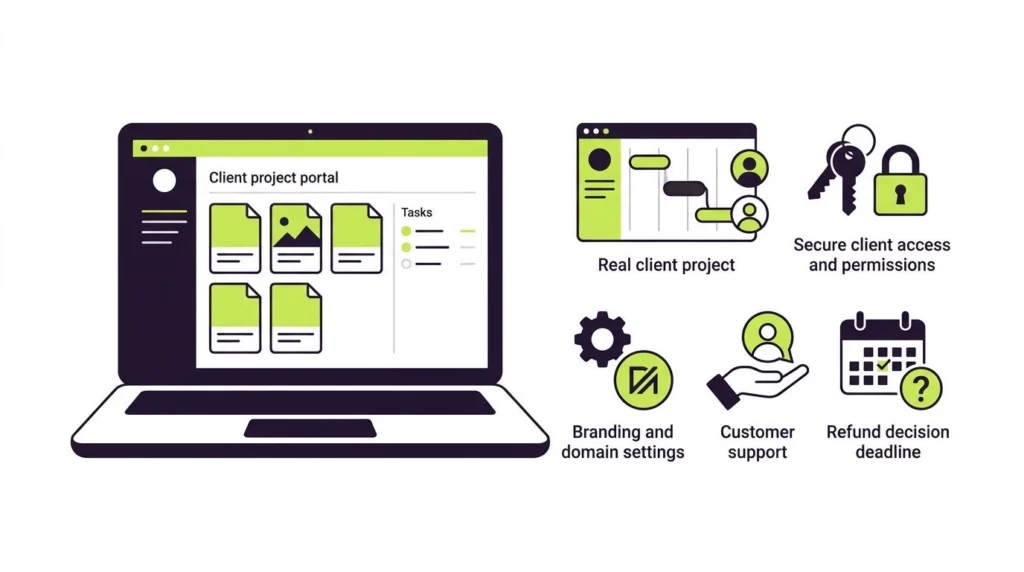
- Pick one real client and build their portal with their actual files and tasks.
- Invite that client without a walkthrough and ask whether it was easy to find what they needed.
- Log in with a second test account and confirm a client can see only their own content.
- Check the branding, custom domain and email sender settings you need, and whether your tier includes them.
- Email support with a real question and note how long the answer takes.
- Check that the limits for your tier cover your next six months, not just today, and find out whether and how you can export your content.
- Decide before the refund window closes. If you are on the fence, ask yourself whether you would pay the official $32 to $82 a month for it. If the answer is no, request the refund from AppSumo.
FAQ
Is the FuseBase AppSumo deal really lifetime?
AppSumo lists it as lifetime access to the mapped plan, plus future updates to that plan, according to the deal terms. As with any lifetime deal, it lasts for as long as the product operates, so you are betting on the vendor staying in business. FuseBase’s refund policy adds that a lifetime offer does not promise every future product or unlimited third-party services. In a September 2025 post on AppSumo’s page, the founder described this as the company’s third AppSumo campaign after 2020 and 2023, which is a company statement, not an independent record. AppSumo’s page carries its “AppSumo Select” label. For how these deals work and what protects buyers if a tool shuts down, see my guide to AppSumo lifetime deals.
Can I get a refund?
According to AppSumo’s deal page, orders come with a 60-day refund window, and buyers are required to redeem their codes within 60 days of purchase.The refund comes through AppSumo. According to FuseBase’s official policy, a blanket money-back guarantee is not provided.
Does FuseBase have a free plan?
Yes. FuseBase’s pricing page lists a free plan with one client portal, one workspace for up to 20 team members, 20 AI prompts and 20 workflow runs. Subscribers to paid tiers receive a 14-day trial period.
How much does FuseBase cost without the lifetime deal?
FuseBase’s pricing page shows Solo at $32/month, Essentials at $82/month and Advanced at $266/month, with higher struck-through figures of $39, $99 and $399 that appear to be the non-annual rates. An Unlimited plan is custom priced. The page does not label the two prices, so check the billing toggle on the current pricing page.
Is FuseBase the same as Nimbus Note?
It grew out of Nimbus Note. AppSumo’s deal terms refer to FuseBase as formerly Nimbus Note, and older AppSumo buyers were grandfathered into the new limits.
Is FuseBase good for agencies?
It is positioned for agencies and consultants, and the portal-plus-workspace structure fits that work. Whether it replaces your existing project management, invoicing and CRM depends on how much you need inside one tool.
Does FuseBase work with my other apps?
AppSumo lists integrations including Calendly, Data Studio, Google Docs, HubSpot and Zapier, and FuseBase mentions an API and MCP connections. Verify that all of your essential tools are included.
Final take
FuseBase makes the most sense when you can point to a client who would benefit from a cleaner place to see your work. At $79 for the first code, the entry cost is low, and AppSumo’s refund window gives you time to test. The risks are about fit and fine print: whether your tier includes the white labeling or compliance features you want, whether you are comfortable with features still in beta, and whether you need a portal rather than another workspace.
If that sounds like your situation, run the one-client test above before the 60-day window closes.
Check the current FuseBase deal on AppSumo
Prices, limits and deal terms can change at any time. Confirm everything on the current deal page before you buy.
Sources
- FuseBase on AppSumo: deal prices, tier limits, terms, refund window, ratings and founder posts
- FuseBase official site: product description, compliance badges
- FuseBase pricing: official plans, limits, white label, free plan
- FuseBase refund policy: refund and lifetime-offer terms
- G2: FuseBase vs Moxo: ratings and category scores
- G2: FuseBase review: one reviewer’s experience
- Capterra Australia: FuseBase reviews: reviewer comments on integrations
- Trustpilot: FuseBase (formerly Nimbus): reviewer complaints, with the caveats above
- The Digital Project Manager: FuseBase review: corroborates the Solo annual-billing price
- Assembly: FuseBase alternatives: a competitor’s descriptions, used only for the alternatives list